How to Download QGIS 3.44 — The Final & Most Powerful Release of the 3.x Era
Introduction
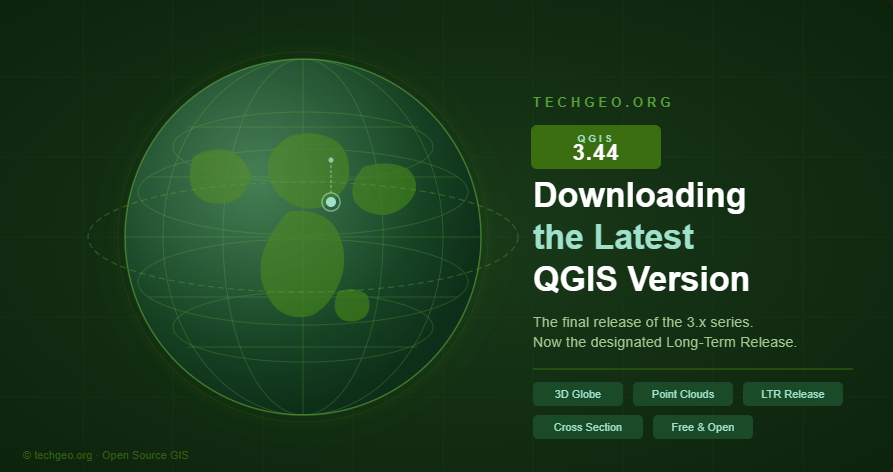
If you work with maps, spatial data, remote sensing, surveying, or cartography, QGIS 3.44 is one of the most important QGIS releases to know about. Officially known as QGIS 3.44 Solothurn, this version represents the final and most refined stage of the QGIS 3.x generation before the full transition into the QGIS 4.x era.
The QGIS Project describes QGIS 3.44 as the final feature release of the QGIS 3.x branch, released on June 20, 2025. It was designed to provide a stable and reliable environment for existing GIS workflows while the project moved toward QGIS 4.x and the modern Qt6 framework.
Today, QGIS 4.x is available as the current main release, while QGIS 3.44.10 Solothurn is listed as the current Long Term Release, or QGIS 3.44 LTR, on the official QGIS download page. This makes it a strong choice for users who want stability, plugin compatibility, and a mature 3.x workflow instead of immediately moving to QGIS 4.x.
In this TechGEO guide, you will learn how to Download QGIS 3.44 safely for Windows, macOS, and Linux, and how to choose the right installer for your needs.
What is QGIS 3.44?
QGIS is a free and open-source Geographic Information System, often called GIS software. It allows users to create maps, edit spatial data, analyze geographic information, design professional map layouts, and work with many geospatial file formats.
In simple terms, QGIS helps you answer questions like:
- Where is something located?
- What is nearby?
- How do features overlap?
- How can geographic data be visualized clearly?
- What spatial patterns can be found in a dataset?
QGIS is used by students, researchers, government agencies, environmental professionals, urban planners, surveyors, remote sensing analysts, and GIS consultants around the world. The QGIS Project describes QGIS as an open-source desktop GIS used to view, edit, analyze, and share spatial data, create professional cartography, and support hundreds of spatial data formats.
QGIS 3.44 Solothurn matters because it is not just another update. It is the final major step in the QGIS 3.x series, making it one of the most polished and dependable versions of QGIS 3.
Why QGIS 3.44 is special
QGIS 3.44 is special because it closes an important chapter in QGIS history. The QGIS 3.x series brought major improvements to the software over many years, and version 3.44 brings that generation to its final feature release.
For many users, this makes QGIS 3.44 LTR a practical and safe choice.
It is especially useful for:
- GIS beginners who want a stable learning environment
- Students following tutorials based on QGIS 3.x
- GIS analysts working with established workflows
- Cartographers who rely on stable layout and labeling tools
- Surveyors and remote sensing users who need dependable project compatibility
- Professionals who depend on plugins that may not yet be fully updated for QGIS 4.x
The official QGIS changelog says QGIS 3.44 provides a stable and refined experience and a reliable environment for existing workflows. It also notes that plugin developers can expect a smoother transition as QGIS 4.0 retains deprecated APIs where possible to reduce compatibility work.
That means QGIS 3.44 is not simply “older software.” It is the mature Long Term Release version for users who value stability over the newest features.
Key features and improvements in QGIS 3.44
QGIS 3.44 includes many refinements across the application. Instead of focusing only on flashy new tools, this release improves everyday GIS workflows, data handling, cartography, labeling, and project management.
The official QGIS 3.44 changelog highlights improvements related to database management and connectivity, data provider flexibility, project settings, the Processing toolbox, QGIS Expressions, labeling, and layout updates.
Improved stability and performance
Because QGIS 3.44 is the final feature release of the 3.x branch, it is designed around a stable and refined user experience. This is important for production work, teaching, and long-term projects.
Better database and connectivity tools
Many GIS users connect QGIS to databases and online data services. QGIS 3.44 includes refinements that help users work more smoothly with different data providers and database workflows.
Processing toolbox improvements
The Processing toolbox is one of the most powerful parts of QGIS. It allows users to run geoprocessing tools for analysis, conversion, raster processing, vector editing, and automation. Improvements in this area help users build more efficient GIS workflows.
Expression and workflow refinements
QGIS Expressions are used in labels, symbology, field calculations, layouts, filters, and automation. Refinements to expressions can make daily work easier for analysts, cartographers, and advanced users.
Cartography, labeling, and layout updates
For map makers, layout and labeling tools are essential. QGIS 3.44 continues improving cartographic workflows, helping users create cleaner, more professional maps.
Plugin and workflow compatibility
One of the biggest advantages of QGIS 3.44 LTR is the mature plugin ecosystem. Many organizations and professionals depend on QGIS plugins, so using an LTR version can reduce the risk of sudden workflow changes.
How to download QGIS 3.44 safely
The safest way to complete a QGIS 3.44 download is to use the official QGIS website. Avoid random installer pages, copied files, or unknown download sources. Official downloads help protect your computer and make sure you receive the correct installer.
Ready to get started?
Download QGIS 3.44 LTR for free and start building professional GIS projects today.
Step 1: Go to the official QGIS download page
Open the official QGIS download page and go to the download section for your operating system. The page lists the current main version and the current Long Term Release version.
Step 2: Choose your operating system
QGIS provides download options for Windows, macOS, Linux, and other platforms. Choose the section that matches your computer.
Step 3: Select the Long Term Release / QGIS 3.44 LTR option
To download QGIS 3.44, choose the Long Term Release option. As of the official download information checked for this guide, the long-term build is QGIS 3.44.10 Solothurn.
Step 4: Download the installer
Click the correct installer for your operating system. Windows users can choose between online and offline installation options, while macOS users can download the official all-in-one installer.
Step 5: Run the installer
After downloading, open the installer and follow the setup instructions. Most beginners can accept the default installation options.
Step 6: Open QGIS and check the version
After installation, open QGIS and check the version from the application menu. You should see QGIS 3.44.x Solothurn if the LTR version was installed correctly.
Download QGIS 3.44 for Windows
Windows users have two main options when downloading QGIS 3.44 LTR: the Online OSGeo4W installer and the Offline Standalone installer.
Online OSGeo4W installer
The OSGeo4W installer is best for advanced users, regular GIS professionals, and organizations that want flexible installation and updates. According to the QGIS installation guide, OSGeo4W allows users to install several QGIS versions in parallel and update only changed components instead of downloading the full installer each time.
This option is useful if you want:
- Multiple QGIS versions on one computer
- More control over installed packages
- Efficient updates
- Access to related OSGeo tools such as GDAL, GRASS GIS, and other dependencies
Offline standalone installer
The standalone installer is a simpler option for beginners. It is useful when you want to download one installer file and install QGIS without managing individual packages.
The official QGIS download page explains that standalone installers are useful for users who want to share the installer through a USB drive or network location. It also notes that Windows builds have been 64-bit only since QGIS 3.20.
For most beginners, TechGEO recommends the Long Term Version for Windows (3.44 LTR) standalone installer.
Download QGIS 3.44 for macOS
For macOS, choose the Long Term Version for macOS (3.44 LTR) from the official QGIS download page.
The QGIS website states that the macOS installers are official all-in-one installers and are signed and notarized when provided through the official download page.
After downloading the macOS installer, open the file and follow the installation instructions. In many cases, installation involves dragging the QGIS application into the Applications folder.
Download QGIS 3.44 for Linux
Linux users should follow the installation instructions for their specific distribution. The official QGIS download page provides options for Debian/Ubuntu, Fedora, NixOS, openSUSE, Arch Linux, Flatpak, Spack, and other platforms.
For Ubuntu and Debian users, QGIS provides repository-based installation instructions. The QGIS installation guide also includes instructions for installing the Long Term Release through the qgis.org/ubuntu-ltr repository path for supported Ubuntu versions.
Linux users should carefully choose the correct distribution and version before installing.
QGIS 3.44 vs QGIS 4.x: Which one should you choose?
Both QGIS 3.44 LTR and QGIS 4.x are excellent choices, but they serve slightly different needs.
Choose QGIS 3.44 LTR if you want:
- A stable Long Term Release
- Better compatibility with mature QGIS 3.x workflows
- A safer choice for classroom learning or production projects
- More confidence with existing plugins
- A familiar interface for tutorials and training materials based on QGIS 3.x
Choose QGIS 4.x if you want:
- The newest QGIS technology
- Access to the latest major platform changes
- A future-focused environment based on the Qt6 transition
- Willingness to test plugin and workflow compatibility
The official QGIS download page currently lists QGIS 4.0.2 as the current version and QGIS 3.44.10 as the Long Term Release. The QGIS 4.0 changelog also explains that QGIS 4.0 represents the project’s transition to the Qt6 framework.
For most users who want reliability, QGIS 3.44 LTR is the safer option. For users who enjoy testing newer technology, QGIS 4.x is worth exploring.
System requirements and installation tips
Before installing QGIS 3.44, follow these simple tips:
- Use a 64-bit operating system, especially on Windows.
- Make sure your computer has enough free disk space.
- Close any older QGIS sessions before installing.
- Back up important QGIS projects before upgrading.
- Check whether your most important plugins work with QGIS 3.44.
- Download only from the official QGIS website.
- On Windows, choose the standalone installer if you are a beginner.
- On Linux, follow the instructions for your exact distribution.
The QGIS installation guide also notes that optional projection grids are not included in the default installer and may be downloaded later when required for reprojection.
Common problems and fixes
Installer does not open
Make sure the download completed fully. On Windows, run the installer as an administrator if needed. On macOS, confirm that you downloaded the official signed installer from QGIS.
QGIS starts slowly
The first launch can take a little longer, especially if plugins are loading. Try disabling unnecessary plugins if startup remains slow.
Plugin not working
Some plugins may need updates. Open the Plugin Manager and check for updates. If a plugin is critical to your work, confirm compatibility before upgrading from an older QGIS version.
Missing projection grids
If QGIS asks for projection grids, follow the prompt to download them. The official installation guide explains that optional projection grids are excluded from default installers and can be added later.
Old version still appears
You may have multiple QGIS versions installed. Check your Start Menu, Applications folder, or launcher and open the correct QGIS 3.44 LTR version.
Windows security warning
Windows may show a security prompt when installing software. Confirm that the installer came from the official QGIS website before continuing.
Final thoughts
QGIS 3.44 is an excellent choice for anyone who wants the most stable and refined QGIS 3.x experience. It is powerful enough for professionals, friendly enough for students, and mature enough for long-term GIS workflows.
Although QGIS 4.x is now available, QGIS 3.44 LTR remains a smart option for users who value stability, plugin compatibility, and reliable production work.
For more GIS tutorials, QGIS guides, mapping resources, and geospatial technology updates, keep following TechGEO.org.
FAQ: Download QGIS 3.44
Is QGIS 3.44 free?
Yes. QGIS is free and open-source GIS software. You can download and use it without buying a license.
Is QGIS 3.44 the latest version?
No. QGIS 3.44 is not the latest overall QGIS version. The official QGIS download page currently lists QGIS 4.0.2 as the current version, while QGIS 3.44.10 Solothurn is the Long Term Release.
Is QGIS 3.44 better than QGIS 4.x?
It depends on your needs. QGIS 3.44 LTR is better for stability, mature plugins, and established workflows. QGIS 4.x is better for users who want the newest technology and are ready for possible workflow changes.
Can I install QGIS 3.44 and QGIS 4.x on the same computer?
Yes, especially when using OSGeo4W on Windows. The official installation guide says OSGeo4W can install several QGIS versions in parallel.
Is QGIS 3.44 good for beginners?
Yes. QGIS 3.44 LTR is a good choice for beginners because it is stable, well documented, and compatible with many existing tutorials based on QGIS 3.x.
Where should I download QGIS 3.44?
Download QGIS 3.44 only from the official QGIS download page. This helps ensure that you get the correct and safe installer.
Does QGIS 3.44 work on Windows 11?
Yes, QGIS provides Windows installers for modern 64-bit Windows systems. The official download page notes that QGIS Windows executables are 64-bit only.
Should I uninstall older QGIS versions first?
Not always. Some users keep multiple QGIS versions installed for compatibility. However, beginners may prefer a clean setup to avoid confusion between versions.